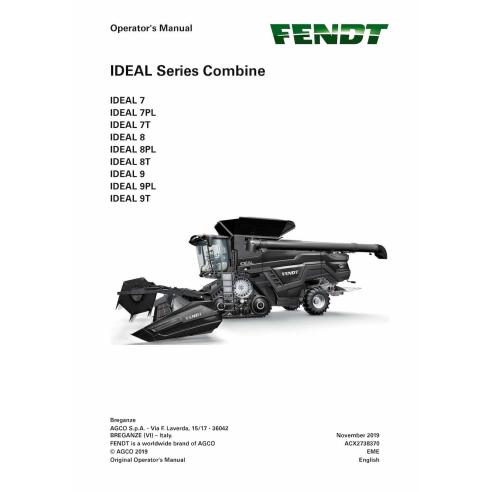
Fendt IDEAL 7, 8, 9 combine pdf operator's manual
Format: PDF
Pages: 785
File size: 35.07 MB
Language: English
Models: IDEAL Series Combines: IDEAL 7, IDEAL 7PL, IDEAL 7T, IDEAL 8, IDEAL 8PL, IDEAL 8T, IDEAL 9, IDEAL 9PL, IDEAL 9T
Operator's manual for IDEAL 7, 8, 9 combine is available for instant download after purchase at any time. It can be downloaded and viewed on any device. Download free preview PDF file using the link in Attachments TAB

Table of Contents for FENDT-ACX2738370-EN manual
- IDEAL Series Combine
- TABLE OF CONTENT
- 1. Safety
- 1.1 Safety icons
- 1.2 Warnings
- 1.3 A word to the operator
- 1.4 Safety instructions
- 1.5 Operation
- 1.6 Safe maintenance
- 1.7 Additional safety information
- 1.8 Safety decals
- 1.9 Safety devices
- 2. Introduction
- 2.1 Preface
- 2.2 The machine's intended use
- 2.3 Machine identification
- 2.4 How the combine works
- 2.5 Machine systems
- 2.6 Engine type
- 2.7 Header
- 2.8 Feeding system
- 2.9 Threshing system
- 2.10 Cleaning system
- 2.11 Grain tank
- 2.12 Grain elevators
- 2.13 Unloading system
- 2.14 Residue management system
- 2.15 Drive system
- 2.16 Axles
- 2.17 Tracks
- 2.18 Frame and suspension
- 2.19 Drive train system
- 2.20 Electrical system
- 2.21 Terminal
- 2.22 Cab
- 2.23 Air conditioning and heating
- 2.24 Ladders
- 2.25 Compressed air supply
- 2.26 Auto-Guide
- 3. Operation
- 3.1 First use
- 3.2 Before you operate the machine
- 3.3 Tow and transport
- 3.4 Machine transport checklist
- 3.5 Locations to attach transport safety chains
- 3.6 Attach a lift device
- 3.7 Tow the machine
- 3.8 Operate the machine
- 3.9 Adjustments for correct operation
- 3.10 Component access
- 4. Maintenance and lubrication
- 4.1 Maintenance schedule
- 4.2 Grease and lubrication
- 4.3 General information
- 4.4 Maintenance operations
- 5. Troubleshooting
- 5.1 For all troubleshooting
- 5.2 Engine troubleshooting
- 5.3 Hydrostatic system troubleshooting
- 5.4 Terminal troubleshooting
- 5.5 Yield sensor troubleshooting
- 5.6 ParaLevel troubleshooting
- 5.7 Ag Leader® yield monitor troubleshooting
- 5.8 Moisture sensor troubleshooting
- 5.9 Fault codes
- 6. Specifications
- 6.1 Technical data
- 6.2 Speed of components
- 6.3 Dimensions
- 6.4 Weight
- 7. Accessories
- 7.1 Available accessories
- 8. Assembly
- 8.1 Examine the machine after transport
- 8.2 Tire pressure
- 8.3 Examine the wheel fasteners for the correct torque
- 8.4 Clean the machine
- 8.5 Adjust the cab mirrors
- 8.6 Install the fire extinguisher
- 8.7 Install the tailboard guard
- 8.8 Unloading auger transport pin
- Index
The Importance of Operator’s Manual
An Operator’s Manual is an essential instructional document designed to provide detailed guidance for anyone responsible for the daily operation and care of your machine. This manual serves as the primary resource for understanding the specific capabilities, controls, and technical requirements of your equipment.
The manual begins with a comprehensive overview of the, including vital safety warnings and precautions to ensure the protection of both the operator and the machinery. It provides clear, step-by-step instructions for the initial setup, routine operation, and ongoing maintenance. To ensure clarity, the guide features detailed diagrams and high-quality illustrations that simplify complex components and mechanical workflows.
Beyond basic usage, this PDF Operator’s Manual includes expert troubleshooting tips. By providing solutions for common operational issues, the manual helps users minimize downtime, prevent costly repairs, and maximize the lifespan of their equipment. Choosing a digital PDF format ensures you have instant access to this critical information whenever and wherever it’s needed.