Shopping Cart
There are no more items in your cart
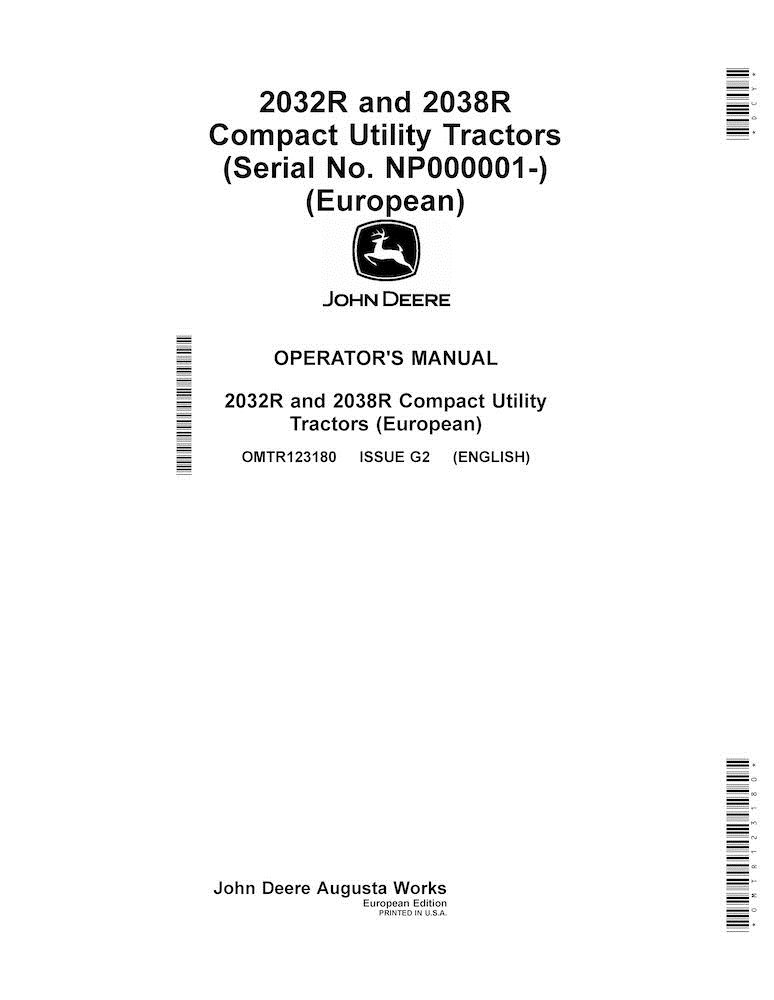
John Deere 2032R, 2038R compact tractor operator's manual (OMTR123180)
JD-OMTR123180
$13.90
No tax
Format: PDF
Pages: 164
File size: 3.55 MB
Language: English
Models: 2032R, 2038R
Create an account and join to our cumulative discounts program. Spend at least $29.9 and get 10.00% discount.
Rating:
(0)
Table of Contents for JD-OMTR123180-EN manual
- Introduction
- Foreword
- General Information
- Product View
- Trademarks
- Glossary of Terms
- Regions and Country Versions
- Machine Overview
- Safety
- Recognize Safety Information
- Understand Signal Words
- Follow Safety Instructions
- Prepare for Emergencies
- Wear Protective Clothing
- Protect Against Noise
- Handle Fuel Safely-Avoid Fires
- Fire Prevention
- In Case of Fire
- Avoid Static Electricity Risk When Refueling
- Use Foldable ROPS and Seat Belt Properly
- Stay Clear of Rotating Drivelines
- Use Steps and Handholds Correctly
- Read Operator's Manuals for ISOBUS Controllers
- Use Seat Belt Properly
- Vibration
- Operating the Tractor Safely
- Avoid Backover Accidents
- Limited Use in Forestry Operation
- Operating the Loader Tractor Safely
- Keep Riders Off Machine
- Passenger Seat
- Use Safety Lights and Devices
- Towing Trailers/Implements Safely
- Use Caution on Slopes, Uneven Terrain, and Rough Ground
- Freeing a Mired Machine
- Avoid Contact with Agricultural Chemicals
- Handle Agricultural Chemicals Safely
- Handling Batteries Safely
- Avoid Heating Near Pressurized Fluid Lines
- Remove Paint Before Welding or Heating
- Handle Electronic Components and Brackets Safely
- Practice Safe Maintenance
- Avoid Hot Exhaust
- Clean Exhaust Filter Safely
- Work In Ventilated Area
- Support Machine Properly
- Prevent Machine Runaway
- Park Machine Safely
- Transport Tractor Safely
- Service Cooling System Safely
- Service Accumulator Systems Safely
- Service Tires Safely
- Service Front-Wheel Drive Tractor Safely
- Tightening Wheel Retaining Bolts/Nuts
- Avoid High-Pressure Fluids
- Do Not Open High-Pressure Fuel System
- Store Attachments Safely
- Decommissioning - Proper Recycling and Disposal of Fluids and Components
- Safety Signs
- Replace Safety Signs
- ROPS in Normal Position, Riders, and Operator's Manual
- Folding ROPS
- Use Seat Belt - OOS
- Hot Surface
- Operator's Manual - Cab
- Use Seat Belt - Cab
- Controls and Instruments
- Front Console Controls
- Foot-Operated Controls
- Right-Hand Console Controls
- Left-Hand Console Controls
- Differential, MFWD, Rate of Drop, and Seat Controls
- Cab Controls (If Equipped)
- Instrument Cluster
- Information Display Icons
- Information Display and Display Mode Switch
- Engine Operation
- Operate Key Switch
- Operate Throttle Lever
- Operate eThrottle
- Operate Fuel Shut-Off Valve
- Start the Engine
- Cold-Weather Start
- Warm and Idle the Engine
- Start a Stalled Engine
- Stop Machine
- Air Intake, Fuel, Coolant, and Exhaust Operation
- Using Fuel Shutoff Valve
- Fill Fuel Tank
- Exhaust Filter System Overview
- Aftertreatment Indicators Overview
- Electrical and Lighting Operation
- Turn Signal and Hazard Lights
- Using Display Mode Switch
- Operate Horn
- Drivetrain Operation
- Drive Machine
- Transmission Operation
- Operate Transmission
- Operate Cruise Control
- MFWD and Front Axle Operation
- Operate Mechanical Front Wheel Drive (MFWD)
- Differential and Rear Axle Operation
- Operate Differential Lock (Traction Assist)
- Power Take Off (PTO) Operation
- Operate Rear and Mid Power-Take-Off (PTO)
- Operate Reverse Implement Option (RIO)
- Adjust Height of Cut-If Equipped
- Steering and Brake Operation
- Brake Operation
- Park Brake Operation
- Adjust Tilt Steering Wheel
- Hydraulics Operation
- Warm Hydraulic System Oil
- Hydraulics Information
- Hitch and Drawbar Operation
- Operate Attachments
- Operate 3-Point Hitch
- Position Center Link
- Operate Rate of Drop/Lock Valve
- Use Draft Links
- Level Implement Front-to-Rear
- Level Implement Side-to-Side
- Adjust Implement Side-to-Side Sway
- Operate Drawbar Hitch (If Equipped)
- Operate and Install Front 3-Point Hitch-If Equipped
- Assemble and Install A-Frame
- Install Implements on Front Hitch with A-Frame
- Install and Remove Mid-Mount Mower with Front Hitch Installed
- Operate Front Hitch
- Use Front Hitch Lock Switch-If Equipped
- Adjust Hitch Control Valve
- Selective Control Valve Operation
- Avoid High-Pressure Fluids
- Connect Implement Hydraulic Hoses
- Operate Hydraulic Selective Control Valve (SCV)
- Operate Selective Control Valve (SCV) Lock Lever
- Operate Dual Rear Selective Control Valve (SCV)-If Equipped
- Operate Rear Selective Control Valve (SCV) Lock Lever
- Wheels and Tires Operation
- Tire Labeling, Ascertain the Load Capacity of Tires
- Select Tire Inflation Pressure
- Tire Combinations
- Front and Rear Tire Capacity
- Ballast
- Ballast Machine
- Implement Codes
- Tire Capacities
- Use Optional Rear Cast Iron Wheel Weights
- Use Optional Rear Ballast Box
- Use Liquid Weight in Tires
- Optional Front Weights and Front Weight Bracket Extension
- Additional Equipment Operation
- Additional Equipment Operation
- Front Loader Mounting Frames, Installation
- Operator Station Operation
- Enter and Exit Machine
- Adjust Seat
- Use Seat Belt
- Raise and Lower Roll-Over Protective Structure (ROPS)
- Cab Controls (If Equipped)
- Transport and Storage
- Transport Machine on Trailer
- Transport Machine
- Push or Tow Machine
- Tow Loads
- Store Safety
- Prepare Machine for Storage
- Battery Isolation / Disconnect
- Prepare Fuel and Engine for Storage
- Remove Machine From Storage
- Remove Front 3-Point Hitch-If Equipped
- Store Front 3-Point Hitch-If Equipped
- Maintenance Intervals
- Service Your Machine
- Maintenance Interval Chart-Daily to Every 400 Hours
- Maintenance Interval Chart-Every 600 Hours to Every 6000 Hours
- Test the Safety Interlock System Before Startup
- Avoid Damage to Plastic and Painted Surfaces
- Clean Plastic Surfaces
- Clean and Repair Metal Surfaces
- Fuel, Lubricants, and Coolant
- Diesel Fuel
- Handling and Storing Diesel Fuel
- Testing Diesel Fuel
- Minimizing the Effect of Cold Weather on Diesel Engines
- Alternative and Synthetic Lubricants
- Engine Oil
- Diesel Engine Coolant
- Operating in Warm Temperature Climates
- Additional Information About Diesel Engine Coolants and John Deere COOL-GARD™ II Coolant Extender
- Testing Diesel Engine Coolant
- Transmission and Hydraulic Oil
- Front Axle and MFWD Oil
- Grease
- Maintenance-As Required
- Service-As Required
- Controls and Instruments Maintenance
- Controls and Instruments Maintenance
- Engine Maintenance
- Required Emission-Related Information
- Emissions Performance and Tampering
- Carbon Dioxide Emissions (CO₂)
- Daily Startup Procedure
- Check Engine Oil Level
- Change Engine Oil and Filter
- Clean Dust Unloading Valve
- Service the Alternator Belt
- Clean Front and Side Grille Screens
- Clean Engine Compartment
- Air, Fuel, Coolant and Exhaust Maintenance
- Service Air Filter Elements
- Service Cab Air Filter
- Check Air Filter Hose
- Exhaust Filter Maintenance and Service
- Automatic (AUTO) Exhaust Filter Cleaning
- Disabled Exhaust Filter Cleaning
- Parked Exhaust Filter Cleaning
- Service Exhaust Filter Cleaning
- Check and Drain Water Separator
- Clean Water Separator and Filter Screen
- Replace Fuel Filters
- Fuel Injection Pump
- Fuel Injection Nozzles
- Drain and Flush Fuel Tank
- Check Coolant Level
- Drain and Flush Cooling System
- Fill Cooling System
- Check Radiator Hoses and Clamps
- Clean Radiator, Fuel, and Transmission Cooling Fins
- Electrical and Lighting Maintenance
- Service Electrical
- Prevent Battery Explosions
- Remove and Install Battery
- Clean Battery and Terminals
- Use Booster Battery
- Replace Headlight Bulb
- Replace Tail/Turn and Warning Light Bulb
- Replace Fuses and Relays
- Drivetrain Maintenance
- Drivetrain Maintenance
- Transmission Maintenance
- Check Transmission Oil Level
- Change Transmission Oil and Hydraulic Suction Oil Filter
- MFWD and Front Axle Maintenance
- Check Front Axle Oil Level
- Change Front Axle Oil
- Adjust Front Axle Thrust Bolt Torque
- Lubricate Axle Trunnion
- Lubricate MFWD Driveshaft
- Clean MFWD Axle Breather Valve
- Differential and Rear Axle Maintenance
- Rear Axle
- Power Take Off (PTO) Maintenance
- PTO Maintenance
- Steering and Brake Maintenance
- Check and Adjust Toe-In
- Steering Maintenance
- Brake Maintenance
- Hydraulics Maintenance
- Hydraulic Maintenance
- Hitch and Drawbar Maintenance
- Lubricate 3-Point Hitch
- Selective Control Valve Maintenance
- Check Selective Control Valve
- Wheels and Tires Maintenance
- Check Wheel Bolts and Hardware
- Remove and Install Wheels
- Check Tire Pressure
- Tire Inflation Pressure Chart
- Select Front Tire Rolling Direction
- Change Wheel Spacing and Tread Width
- Lift Points for Jacking up the Tractor
- Ballast Maintenance
- Match Ballast to Work Load
- Additional Equipment Maintenance
- Additional Equipment Maintenance
- Operator Station Maintenance
- Raise and Lower Hood
- Remove and Install Side Panels
- Remove and Install Front Cowl
- Inspect ROPS for Loose Hardware
- Troubleshooting
- Information Display Fault Messages
- Engine
- Electrical System
- Machine
- Brakes
- Steering
- On Board Diagnostics
- Service Alert and Information Display
- On Board Diagnostic Display
- On-Board Diagnostic (OBD) Tool
- Diagnostic Trouble Code (DTC)
- Specifications
- Engine Specifications
- Drivetrain Specifications
- Hydraulic System Specifications
- Electrical System Specifications
- Fluid Capacities
- Ground Speeds
- Dimensions
- Height From Ground
- Ground Clearance
- Turning Radius
- Machine Weight
- 3-Point Hitch Specification
- Permissible Weight Specifications
- Coupling Devices
- Sound Level
- Seat Vibration
- How to Calculate Maximum Permissible Download on Trailer Hitch
- How to Calculate Permissible Mass
- Unified Inch Bolt and Screw Torque Values
- Metric Bolt and Screw Torque Values
- Identification Numbers
- Product Identification Information
- Record Identification Numbers
- Certification and Warranty
- Warranty
- Service Records
- Every 10 Hour Service
- Every 50 Hour Service
- Every 200 Hour Service
- Every 400 Hour Service
- Every 600 Hour Service
- Yearly
- Every 1000 Hour Service
- Every 2000 Hour Service or Every Two Years
- Every 6000 Hour Service or Every Six Years
- Change of Ownership
- Change of Ownership
- Change of Ownership
- Index
- John Deere Service
- John Deere Is At Your Service
- Technical Information
- Document type
- Operator's manual
- Language
- English
- Machinery type
- compact tractor
The Importance of Operator’s Manual
An Operator’s Manual is an essential instructional document designed to provide detailed guidance for anyone responsible for the daily operation and care of your machine. This manual serves as the primary resource for understanding the specific capabilities, controls, and technical requirements of your equipment.
The manual begins with a comprehensive overview of the, including vital safety warnings and precautions to ensure the protection of both the operator and the machinery. It provides clear, step-by-step instructions for the initial setup, routine operation, and ongoing maintenance. To ensure clarity, the guide features detailed diagrams and high-quality illustrations that simplify complex components and mechanical workflows.
Beyond basic usage, this PDF Operator’s Manual includes expert troubleshooting tips. By providing solutions for common operational issues, the manual helps users minimize downtime, prevent costly repairs, and maximize the lifespan of their equipment. Choosing a digital PDF format ensures you have instant access to this critical information whenever and wherever it’s needed.
Tap to zoom