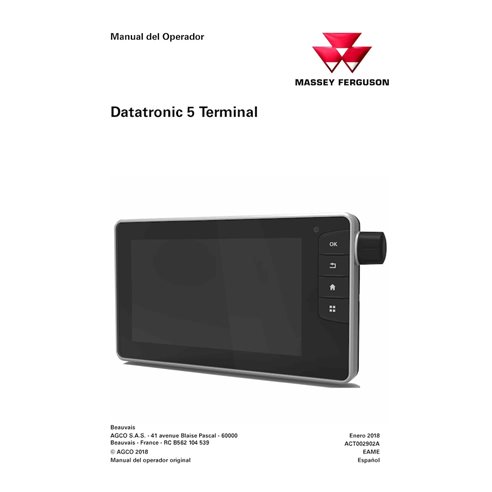
MF-ACT002902A-OM-ES Massey Ferguson DataTronic 5 Terminal tractor pdf operator's manual ES (ACT002902A)
Spanish

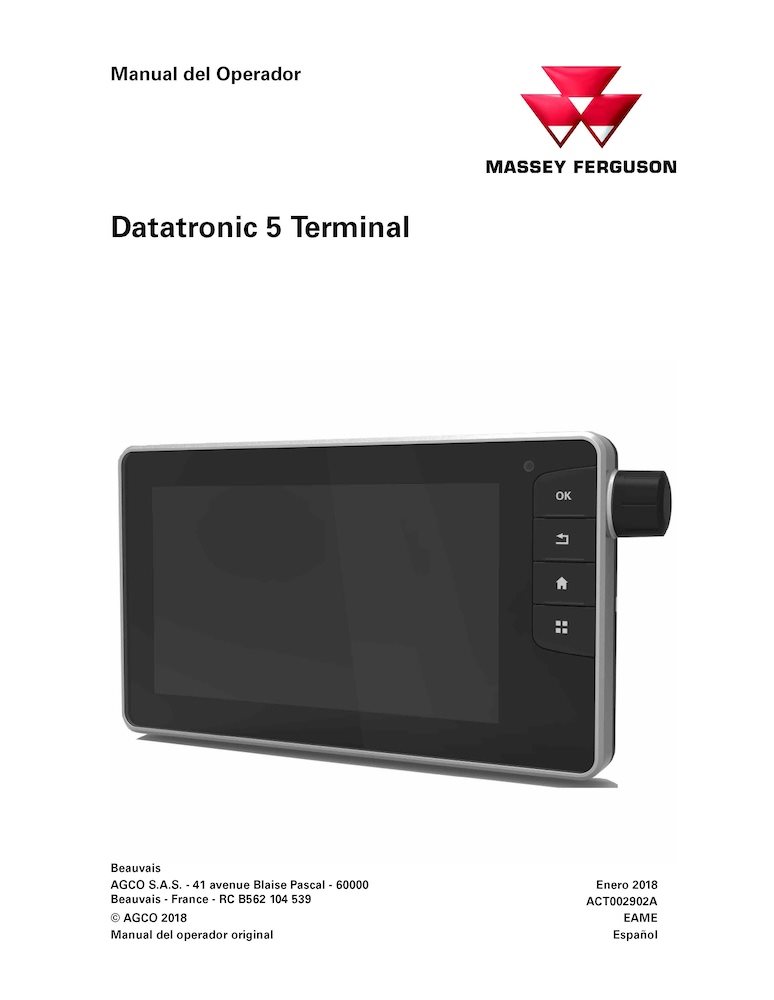
Massey Ferguson DataTronic 5 Terminal tractor pdf operator's manual ES (ACT002902A)

MF-ACT002902A-OM-ES
$13.90
No tax

Item Number: ACT002902A

Models: 8727, 8730, 8732, 8735, 8737, 8740 - DATATRONIC 5 Terminal

Format: PDF

Type: Operator's manual

Pages: 200

File size: 7.56 MB

Language: Spanish

Date: January 2018

MF-ACT002902A-OM-ES-preview.pdf - 1.17MB
Log in to access your free preview PDF

Try Before You Buy
Sign in or create a quick account in seconds to download a free preview PDF file, where you find "Bookmarks" tab to see the complete table of contents. Review the manual's layout, detail, and quality to ensure it’s exactly what you need.

Create an account and join to our cumulative discounts program. Spend at least $29.9 and get 10.00% discount.
Rating:
(0)
 

Table of Contents for MF-ACT002902A-OM-ES manual

  • Sumario
  • 1. General Information (Información general)
    • 1.1 Generalidades
    • 1.2 Descripción
  • 2. Navegación
    • 2.1 General Information (Información general)
    • 2.2 Pantalla de inicio
    • 2.3 Aplicación Tractor:
  • 3. Memorias
    • 3.1 Perfil del usuario
    • 3.2 Perfil del accesorio
  • 4. Aplicación Settings (Ajustes)
    • 4.1 Generalidades
    • 4.2 Descripción de la aplicación Ajustes
    • 4.3 Ajustes para unidades, idioma, visualización de decimales, fecha y hora
    • 4.4 Ajustes de brillo y sonido.
  • 5. Aplicación On-board Computer (Ordenador de a bordo)
    • 5.1 General Information (Información general)
    • 5.2 Descripción de la aplicación del ordenador de a bordo.
    • 5.3 Utilización de la aplicación del ordenador de a bordo.
  • 6. Aplicación Engine (Motor) y Dyna-TM
    • 6.1 Aplicación Motor
    • 6.2 Aplicación Dyna-TM
  • 7. Aplicación Transmisión
    • 7.1 Generalidades
    • 7.2 Descripción de la aplicación Transmisión
    • 7.3 Uso de la aplicación Transmisión
  • 8. Aplicación Eje delantero de dirección
    • 8.1 General Information (Información general)
    • 8.2 Descripción de la aplicación Eje delantero de dirección
    • 8.3 Uso de la aplicación Eje delantero de dirección
  • 9. Aplicación Linkage (Elevador)
    • 9.1 Aplicación Front Linkage (Elevador delantero)
    • 9.2 Aplicación Rear Linkage (Elevador trasero)
  • 10. Aplicación Valves and Joystick (Válvulas y joystick)
    • 10.1 Aplicación Valves (Válvulas)
    • 10.2 Aplicación Joystick
  • 11. Aplicación Dual Control y Points (Puntos)
    • 11.1 Aplicación Dual Control
    • 11.2 Aplicación de Control del apero
  • 12. Aplicación Cabecera
    • 12.1 Generalidades
    • 12.2 Descripción de la aplicación Cabecera
    • 12.3 Uso de la aplicación Cabecera
  • 13. Aplicación Isobus
    • 13.1 General Information (Información general)
    • 13.2 Descripción de la aplicación Isobus
    • 13.3 Uso de la aplicación Isobus
  • 14. Aplicación Video
    • 14.1 General Information (Información general)
    • 14.2 Descripción de la aplicación Video
  • 15. Aplicación Calculator (Calculadora)
    • 15.1 Información general
    • 15.2 Descripción de la aplicación Calculator (Calculadora)
  • 16. Aplicación Notepad (Bloc de notas)
    • 16.1 General Information (Información general)
    • 16.2 Descripción de la aplicación Notepad (Bloc de notas)
  • 17. Aplicación Contrôle de Sections (Control de secciones)
    • 17.1 Importante: Antes de usarla, lea las opciones de Contrôle de Sections (Control de secciones) y/o VRT.
    • 17.2 General Information (Información general)
    • 17.3 Descripción de la aplicación Contrôle de Sections (Control de secciones)
    • 17.4 Uso de la aplicación Contrôle de Sections (Control de secciones)
  • 18. Aplicación TaskDoc
    • 18.1 Importante: Antes de usarla, lea las opciones de Contrôle de Sections (Control de secciones) y/o VRT.
    • 18.2 General Information (Información general)
    • 18.3 Descripción de la aplicación TaskDoc™
    • 18.4 Uso de la aplicación TaskDoc
  • 19. Aplicación VRT
    • 19.1 Importante: Antes de usarla, lea las opciones de Contrôle de Sections (Control de secciones) y/o VRT.
    • 19.2 Información general de VRT (Tecnología de frecuencia variable).
    • 19.3 Descripción de la aplicación VRT (Tecnología de frecuencia variable).
    • 19.4 Uso de la aplicación VRT (Tecnología de frecuencia variable).
Document type
Operator's manual
Language
Spanish
Machinery type
tractor
MF-ACT002902A-OM-ES-preview.pdf - 1.17MB

The Importance of Operator’s Manual

An Operator’s Manual is an essential instructional document designed to provide detailed guidance for anyone responsible for the daily operation and care of your machine. This manual serves as the primary resource for understanding the specific capabilities, controls, and technical requirements of your equipment.

The manual begins with a comprehensive overview of the, including vital safety warnings and precautions to ensure the protection of both the operator and the machinery. It provides clear, step-by-step instructions for the initial setup, routine operation, and ongoing maintenance. To ensure clarity, the guide features detailed diagrams and high-quality illustrations that simplify complex components and mechanical workflows.

Beyond basic usage, this PDF Operator’s Manual includes expert troubleshooting tips. By providing solutions for common operational issues, the manual helps users minimize downtime, prevent costly repairs, and maximize the lifespan of their equipment. Choosing a digital PDF format ensures you have instant access to this critical information whenever and wherever it’s needed.
The Benefits of Buying Our Digital Manuals

Instant Digital Access

Stop waiting for shipping. Receive a secure download link immediately after checkout. Get to work with your service manual right away.

OEM Quality

Our manuals are clear, searchable, and printable. Zoom in on complex hydraulic diagrams or wiring layouts without losing clarity.

Unlimited Hard Copies

Print the entire guide or just the specific schematics you need for the job. Take the paper into the grease and grime while keeping your digital original pristine and oil-free.

Multi-Device Compatibility

View your manual on any device - PC, Mac, tablet, or smartphone. Keep the technical data in your pocket while you're in the field. 

Lifetime Storage Guarantee

Lost your file? No problem. Your purchased manuals are safely stored in your account for unlimited future downloads.

Need help finding a specific manual?

Not all of our documents are listed online yet, and we have an extensive offline catalog. If you can't find what you need, let us know the brand and model—our team will check our archives and get back to you!

Viewed manuals